AYANA
Helping guests compare rooms, weigh offers and plan their stay across desktop and mobile.
- Role
- Product Designer
- Team
- Lead Product Designer
- Scope
- Desktop and mobile booking, room comparison and offers
- Outcome
- Desktop and mobile booking designs
The challenge
Choosing a stay involves more than finding an available room. Guests need to compare options, weigh offers and understand how their dates and party size affect the choice. AYANA wanted its booking engine to support those decisions and make the value of booking directly clear alongside online travel agencies.
As Product Designer, I worked with the Lead Product Designer on the desktop and mobile experience. My focus was the connection between planning a stay, browsing rooms and understanding an offer before booking.
What made it hard
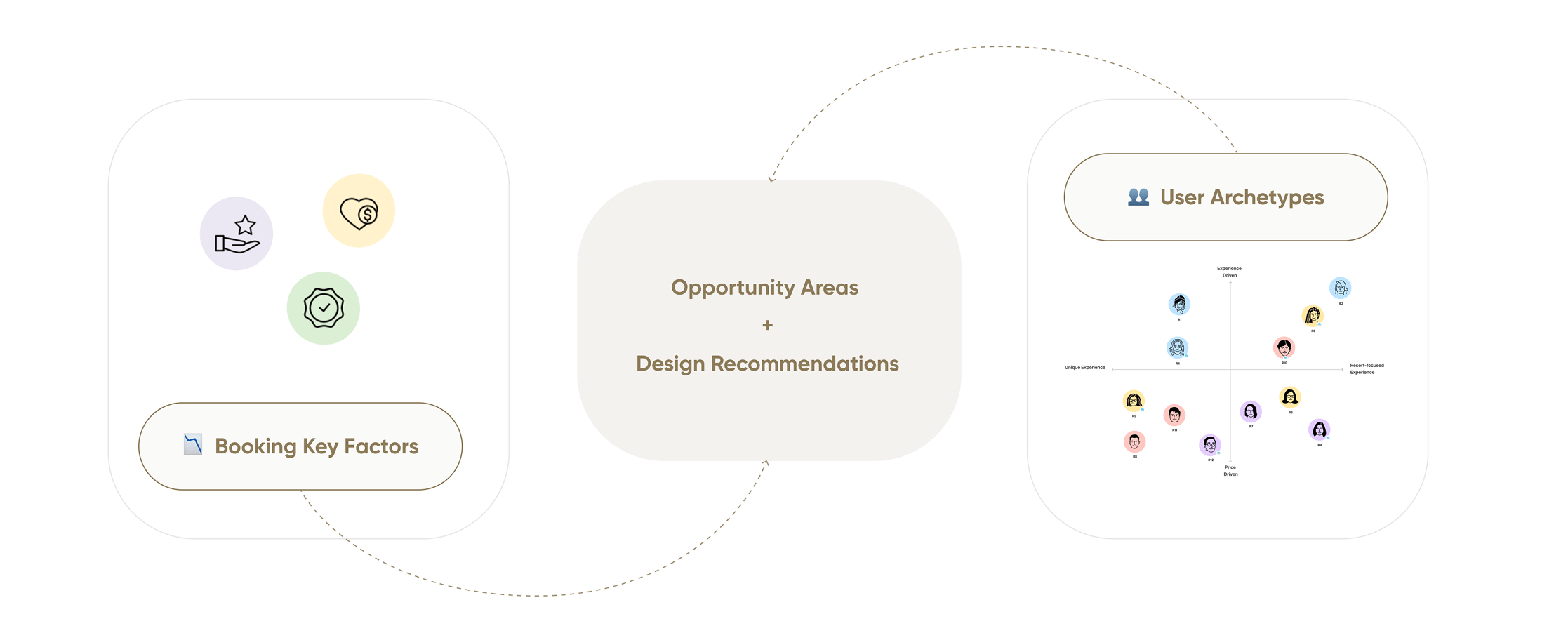
The team's research spanned four countries, twelve interview sessions and ten usability tests. It highlighted a need for confidence in the stay, reassurance through the process and worthwhile offers. The interface had to surface those details without turning every room card into a full specification.
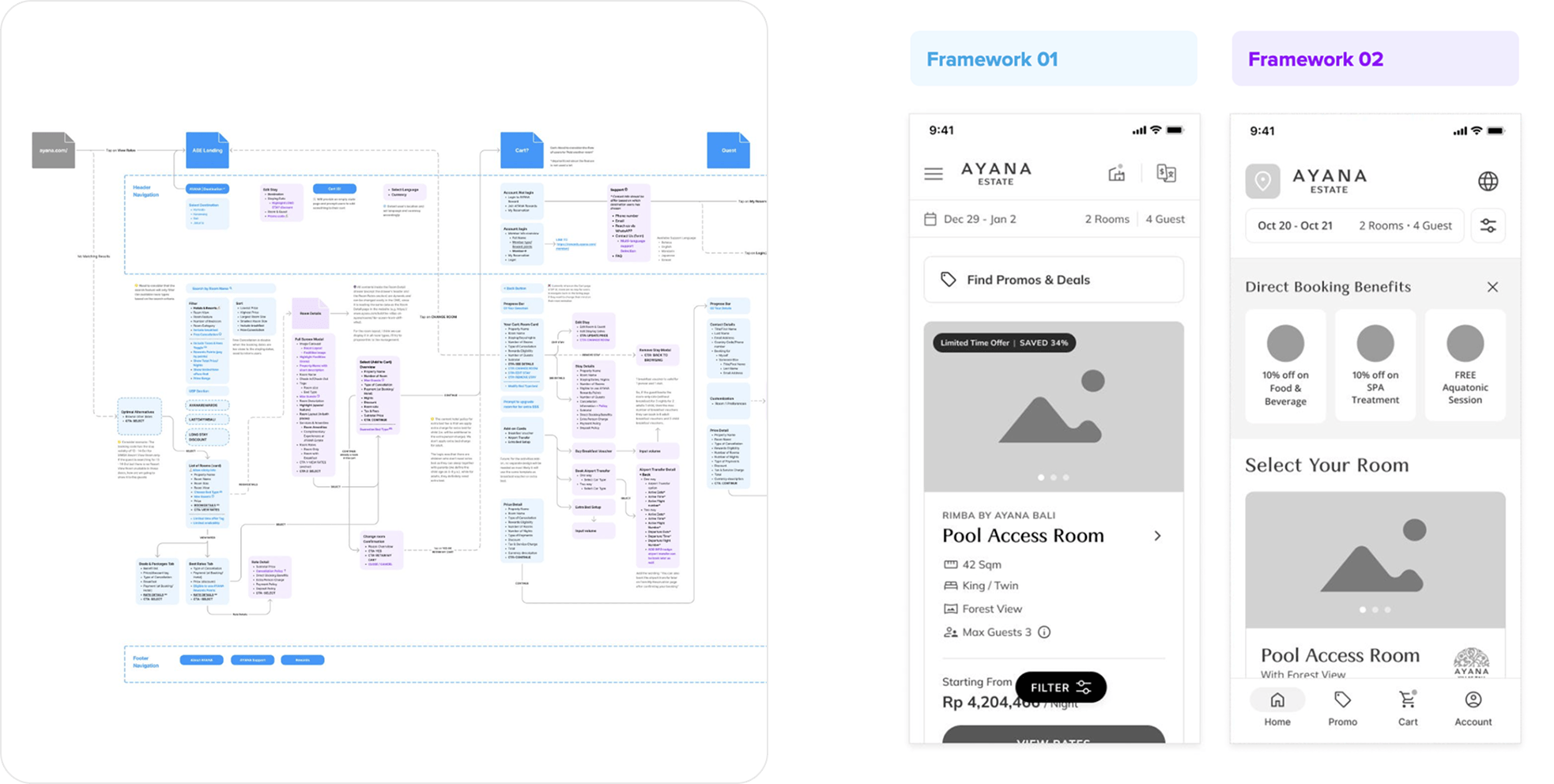
There was also a tension between guidance and reconsideration. AYANA chose a guided booking sequence, but guests still needed to adjust their dates, change the guest count or revisit a room choice. Desktop and mobile needed to support that same sequence with layouts suited to each screen.
What I did
Keep stay changes in context. I placed date and guest edits in a panel over the room results. Guests could revise the stay while retaining the browsing context, then apply the changes with Search to refresh availability. This kept a necessary planning decision connected to the rooms it affected.
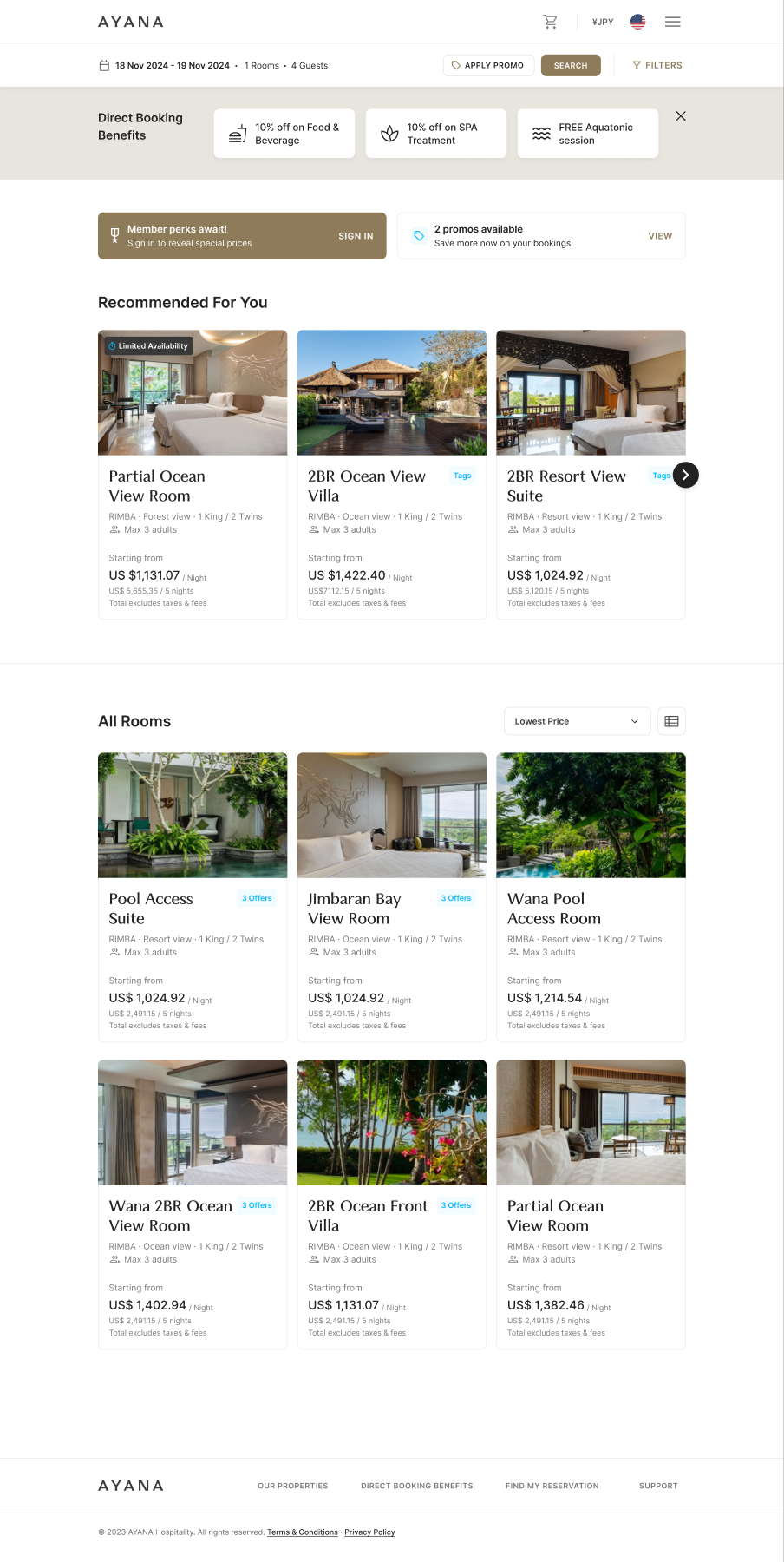
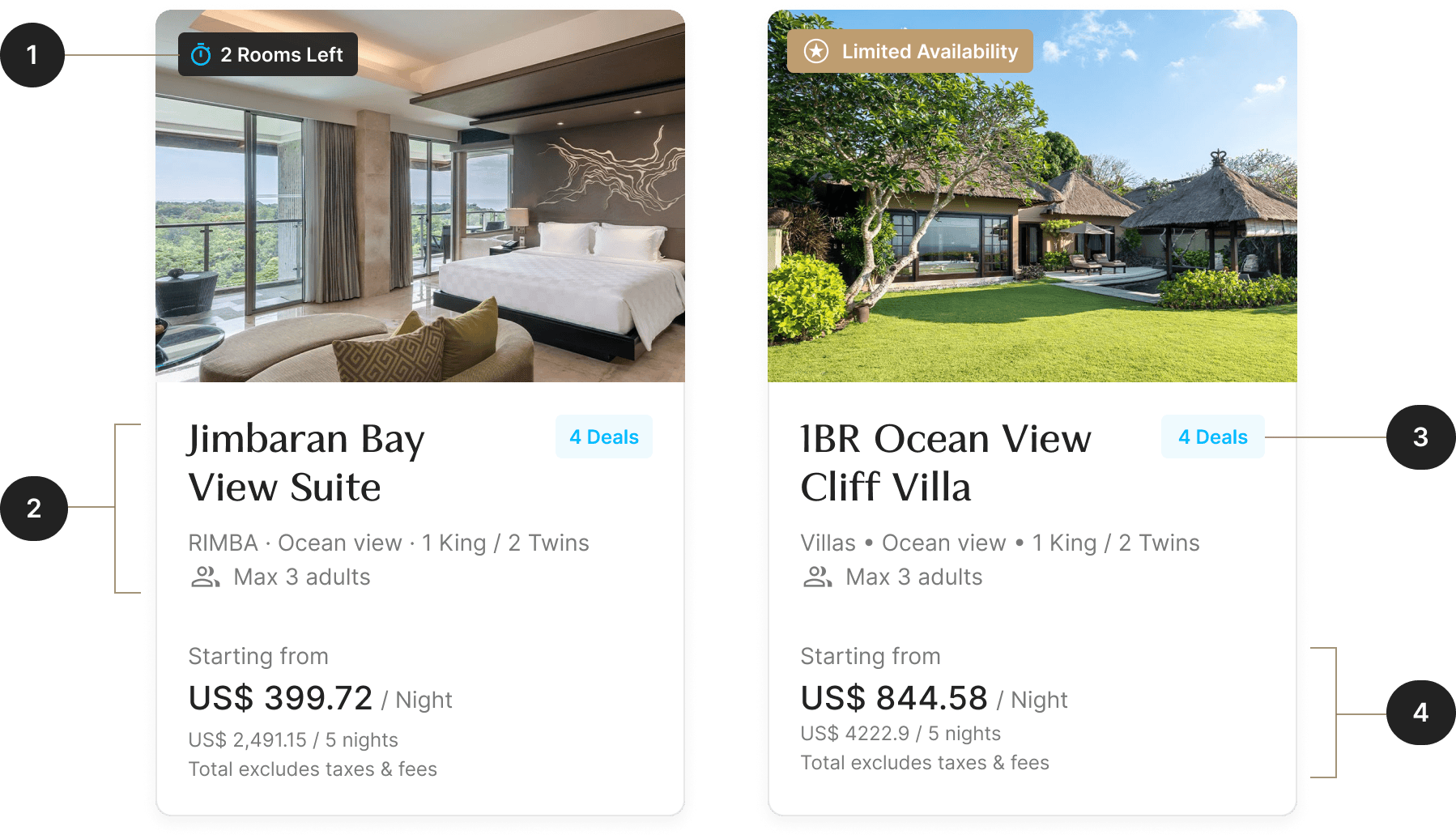
Make rooms easier to compare. I brought desktop room options into a shared view and gave each card the same hierarchy: availability, room essentials, offers and price. Fuller descriptions stayed one click away. Sorting moved beside the results on desktop, while detailed preferences remained in the filter panel.
Put offers beside the decision. Benefits and available offers sat near the room choice, where guests could weigh them against the price. Terms remained accessible before committing, and the applied promo stayed visible in the booking context so guests could check which offer was active.
What changed
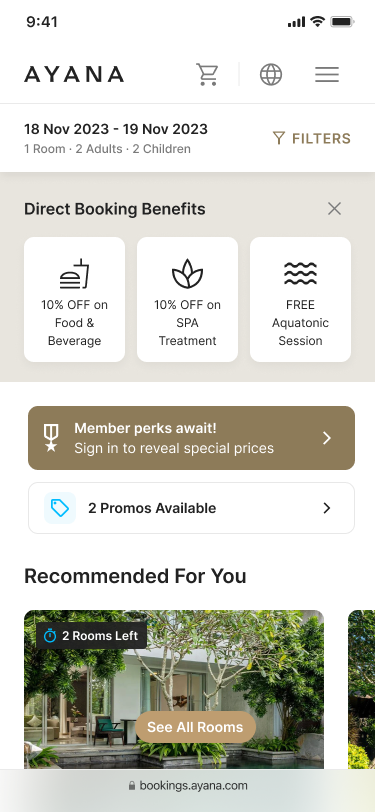
The final desktop and mobile designs carried the same booking sequence across both screens. Room comparison, stay edits and offer details became connected parts of choosing a stay, with the information needed for each decision close to the point of use.
The outcome was a designed booking experience: a consistent room-card hierarchy, contextual stay changes and visible offer confirmation. These are the design changes shown here; the case study does not establish a measured increase in direct bookings.
Context
AYANA wanted more guests to book directly. Its booking engine needed to help guests evaluate a stay and see the value of choosing AYANA over an online travel agency.
Working alongside my design lead, I designed the desktop and mobile experience around those decisions, from comparing rooms to understanding an offer before booking.
Booking confidence shaped the information hierarchy
The team's research highlighted what guests needed from a booking platform: confidence in the stay, reassurance through the process, and worthwhile offers. This gave us a basis for deciding which information to surface at each step.
A guided flow, with room to reconsider
We explored a guided sequence and an open flow for multitasking. AYANA chose the guided approach. On desktop, I preserved that sequence while keeping stay edits accessible during room browsing.
Stay edits within the room search
I placed date and guest edits in a panel over the room results. Guests could revise their stay in context, then use Search to apply the changes and refresh availability.
Room comparison before a closer look
The desktop layout brings room options into a shared view. I prioritized the information guests needed to compare them, leaving fuller descriptions and room details one click away.
A consistent hierarchy for room cards
Availability, room essentials, offers, and pricing follow the same order on every card. This makes the options easier to scan side by side without loading each card with the full room specification.
Sorting beside the results
I moved sorting out of the filter panel on desktop, giving guests direct access to reorder rooms. More detailed preferences remained in the panel, keeping the results toolbar focused.
Booking benefits at the point of comparison
Benefits and available offers sit near the room choice, where guests can weigh them against the price. Terms remain accessible before committing, so the offer can be assessed alongside its conditions.
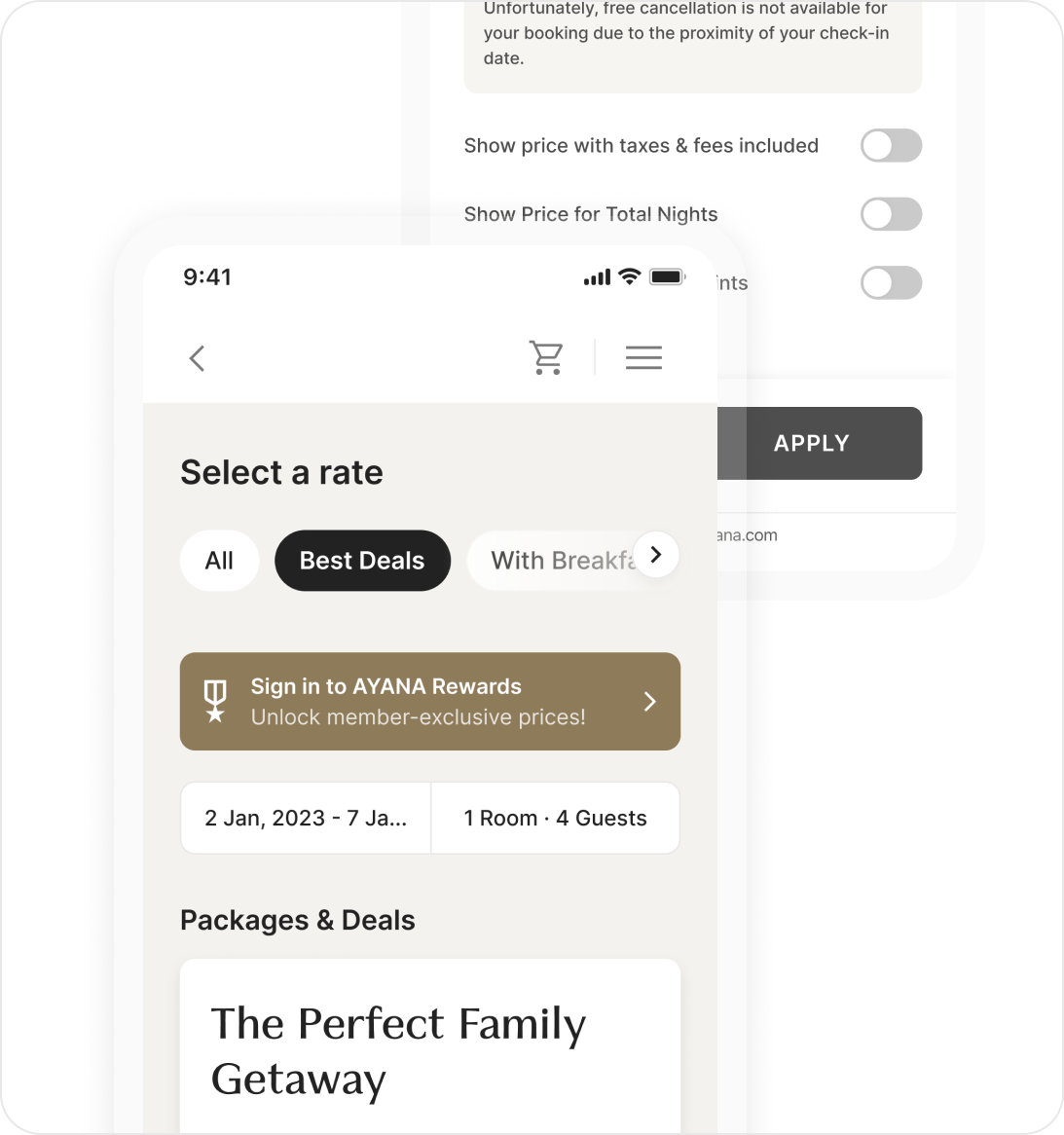
Visible confirmation of the applied offer
The applied promo stays visible in the booking context. Guests can check which offer is active before continuing.
What changed
The final design carries the same booking sequence across desktop and mobile, with layouts adapted to each screen. Room details, stay changes, and offers remain connected, giving guests the information to move from comparing options to choosing a stay.